Submit a pull request to cornerstone-community#
After you uploaded all the new/modified files and would like to make a submission, select Open pull request from Contribute. It is a good idea to sync to the latest version of the Community Repository from Sync fork and change the referred commit hash keys in the derived/modified components.
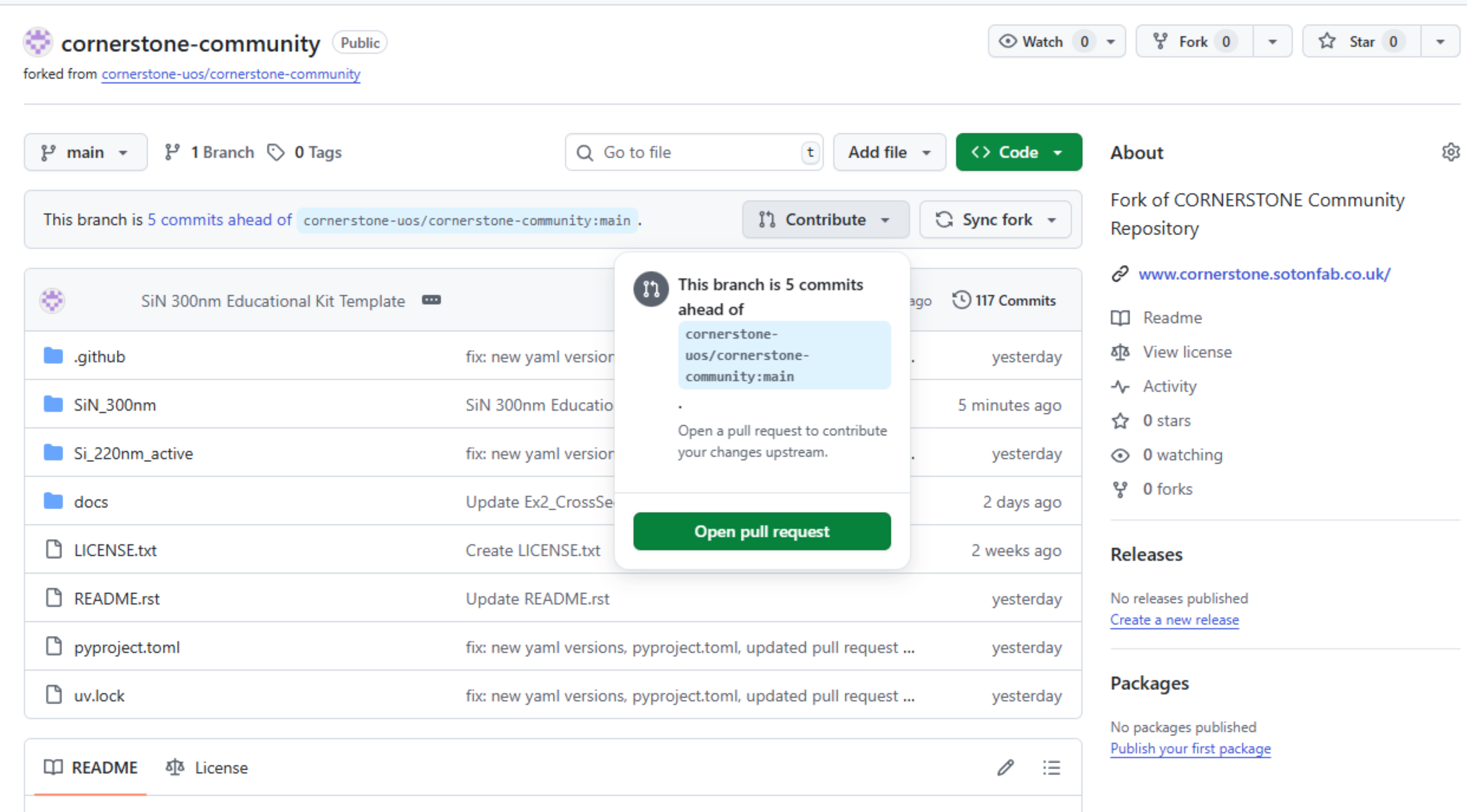
This will create a pull request template with a Markdown-format commit message for the contributor to modify and fill (see the template here)
You can preview the commit message (see below) from the Preview button above the edit box: To mark a checkbox, swap [ ] with [x] (alternatively you can directly mark them after submitting the PR).
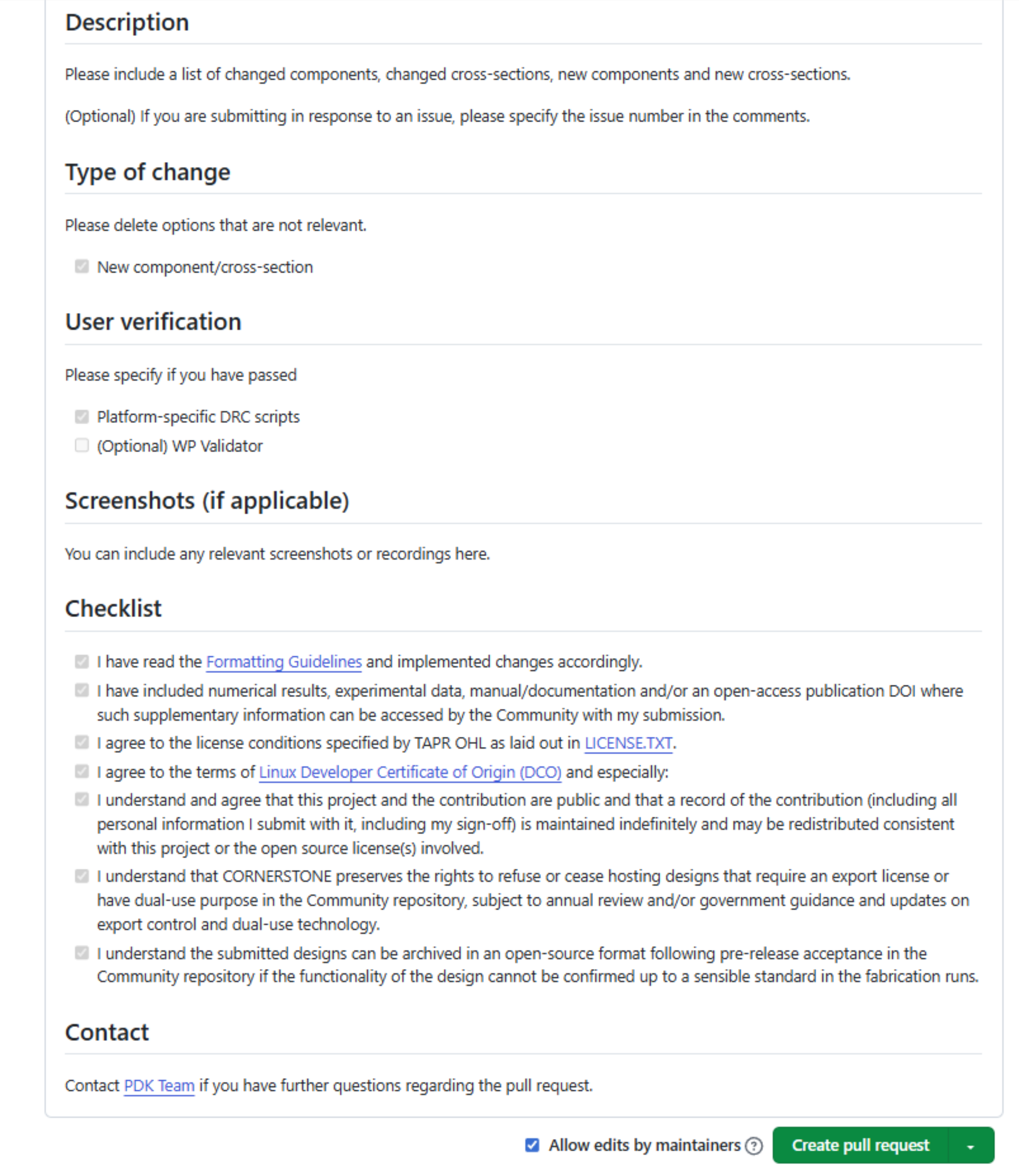
Update: Now the users can select different Basic, Advanced or Documentation submission templates. Please use the links in Preview to jump to the desired template.
Click Create pull request to start the review process by the CORNERSTONE PDK Team.